The Power of Progressive Web Apps in Modern Web Development

Web development is undergoing rapid changes with emerging trends and technologies. Among these new phenomena, Progressive Web Apps (PWAs) have garnered significant attention. They offer a delightful fusion of web and mobile app’s best features, providing an enhanced user experience. This post aims to delve into the significance of PWAs in modern web development.

What are Progressive Web Apps?

Progressive Web Apps are hybrid applications that combine the advantages of both web browsers and mobile applications. They’re basically websites that behave like native mobile apps. PWAs run in a secure container accessible to anyone on the web and can operate offline, send push notifications, and even be installed on a user’s home screen.

The Advantages of Progressive Web Apps

Improved Performance: PWAs are designed to be fast. They use service workers, a type of web worker that operates independently of the main browser thread, to manage resource caching efficiently. This results in swift load times, smooth animations, and overall enhanced performance.

Offline Functionality: One of the defining characteristics of PWAs is their ability to work offline. Taking advantage of service workers, PWAs can serve cached content when no network is available, making them a practical solution in areas of poor connectivity.

Installable: PWAs can be added to the home screen of a mobile device, much like a native app. But unlike native apps, they do not require downloading from an app store. This removes the barrier of app store approval and offers a seamless experience to users.

The Role of PWAs in Modern Web Development

The incorporation of PWAs into modern web development has opened new possibilities. They have become an essential tool in creating rich, engaging, and user-friendly web experiences. Companies such as Twitter, Uber, and Starbucks have already adopted PWAs to deliver speedier and more reliable experiences to their users.

Summary: The Dawn of a New Web Era

Progressive Web Apps are truly reshaping the landscape of web development. Offering the best of both worlds, they unite the reach of the web with the performance and user experience of native mobile apps. As the technology of PWAs continues to mature, we can expect an even greater influence on the future of web development. If you’re a web developer or a business seeking to improve your web presence, exploring the possibilities with PWAs could be a game-changing move.


Unleashing the Power of AI in Web Development

Artificial Intelligence (AI) has become the game-changer of this century, influencing a multitude of industries and business sectors. However, one particular area where AI’s transformative influence is quite significant is web development. This blog post aims to explore the exciting frontier where web development intersects with AI.

The Advent of AI in Web Development

AI’s integration into the web development sector has brought about innovative tools and techniques that make the design and development process more streamlined and efficient. In the realm of web development, if you’re not taking advantage of AI yet, you’re likely to be left behind.

Some advantages of implementing AI in web development include improving user experience with intelligent chatbots or virtual assistants, automating repetitive tasks, and generating code from design drafts.

AI-Driven User Experience

AI algorithms can analyze user behavior and preferences to customize the browsing experience. By analyzing a user’s browsing details such as location, time spent on different pages, and previous interaction history, AI-powered websites can create personalized content that keeps users hooked.

Catering to user behavior is one thing, but to answer their queries in real-time adds another dimension to the user experience. Here is where AI-infused chatbots and virtual assistants come into the picture. They can handle multiple queries concurrently and provide instant and accurate user assistance, hence empowering your website to operate as a true 24/7 online service.

Automation through AI in Web Development

AI algorithms have significantly automated web development tasks. AI can now handle tasks like image resizing and compression, building CSS code, and testing for bugs, which were once laborious and time-consuming. Some web design tools now even allow designers to convert sketches into functioning code, thanks to AI.

Code Generation

AI is also proving its mettle in automating the code generation process. AI-powered tools can now convert visual design into functional code. This technology can reduce the workload of web developers by creating a preliminary codebase, leaving developers to concentrate on more advanced and complex aspects of the website.

Summary

Artificial Intelligence is no longer a futuristic concept. It is here and is actively redefining the way we approach web development. AI has endowed web development with capabilities like personalising user experience, automating routine tasks, and generating code that were unthinkable a few years ago. As we move forward, we can expect to witness more innovative transformations thanks to AI’s continuous evolution. Leveraging AI in web development will not only provide greater value to the users but also open up more possibilities for innovation and creativity. Indeed, the integration of AI in web development is a match made in digital heaven!

Unlocking the Power of APIs in Web Development

The role of APIs, or Application Programming Interfaces, is paramount in contemporary web development. APIs allow different software programs to interact with one another and are responsible for much of the seamless functionality we enjoy online every day. In this blog post, let’s explore the incredible power of APIs and how you can leverage that power in your web development projects.

Understanding APIs

APIs can be thought of as a set of rules that allow applications to communicate with each other. They define the kind of requests that can be made, how they’re made, the data formats that should be used, and the conventions to follow. Essentially, APIs serve as a kind of a bridge that allows two or more pieces of software to effectively communicate and share information.

Take for instance, when you use an app to check the weather on your smartphone, the app connects to the internet and sends data to a server using the API. The server then retrieves that data, interprets it, performs the necessary operations and sends it back to your phone, again, using the API.

The Role of APIs in Web Development

APIs play a crucial role in web development. At a high level, APIs allow web developers to leverage the functionality of other software or platforms in their applications, rapidly accelerating development time and adding powerful features without having to build everything from scratch.

Whether it is integrating payment gateways, embedding maps, incorporating social media platforms, or fetching data from other websites, APIs have made life easier for web developers by providing ready-to-use solutions and tools.

Making the Most of APIs

To truly unlock the potential of APIs in web development, understanding how to use APIs is key. While using APIs may require learning new coding languages and mastering various platforms’ protocols, the benefits you’ll glean from using APIs in your projects are well worth the effort.

You can explore a range of APIs offered by various companies, or even try building your own. Most importantly, ensure to respect the guidelines and usage limits set by API providers to avoid issues and make the most out of these handy tools.

Conclusion

APIs offer a formidable tool for web developers, and understanding how they work is crucial for anyone serious about modern web development. Whether you’re calling upon the functions of Google Maps, PayPal, or Twitter in your site, or creating custom APIs for others to use in theirs, you’re tapping into a rich vein of functional power that APIs provide. From speeding up development times to adding powerful features, APIs have irrefutably changed the landscape of web development.

Unleashing the Power of JavaScript for Modern Web Development

JavaScript is relentless in its ascent as the dominant web development language across the globe. As the dynamic scripting language of the web, JavaScript provides the firepower that booms interactive web applications.

Introduction – The Strength of JavaScript in Web Development

JavaScript is an object-oriented programming (OOP) language, well designed for creating interactive and dynamic web pages. It can be effectively employed on both the client-side and server-side to make websites come to life. Over time, JavaScript has evolved with a wide range of frameworks and libraries (like Angular, React, Vue, and Node.js) that have not only improved its productivity but also its performance, making it ever more potent in the sphere of web development.

JavaScript: The Versatile Performer

Initially incorporated to spruce up the bland HTML pages with button clicking effects, now JavaScript is capable of creating full-fledged Single Page Applications (SPAs). Websites like Facebook, Gmail, and Netflix are living examples of what JavaScript can achieve in web development.

In contrast to static pages, Single Page Applications (SPAs) allow for fluid and faster experiences that mimic a desktop application. They do this by adding and removing data from the web page dynamically, thereby avoiding the need for constant communication with the server.

Advantages of Creating Single Page Applications (SPAs) with JavaScript

  • Enhanced User Experience (UX): SPAs leverage JavaScript’s AJAX calls to update sections of the webpage, ensuring that the user interface does not need to be entirely reloaded, reducing page load time and providing a smoother user experience.

  • Fast and Responsive: SPAs are quicker as they only need to update a portion of the webpage rather than reloading the entire webpage every time.

  • Clean and Modular Design: JavaScript encourages module-based design, allowing developers to maintain cleaner code, making applications easier to maintain and scale.

In Summary: Unlocking the Full Potential of JavaScript

With the unceasing enhancements in its frameworks and libraries, JavaScript continues to revolutionize the web development landscape, bringing websites and web applications to life. Employing JavaScript for creating Single Page Applications is a prime example of its versatility and how it strives to deliver smoother, more enveloping user experiences. It’s clear that for anyone looking to power up their web development skills, mastering JavaScript is a must. Embrace the versatility and power of JavaScript and see the impressive results in your web development endeavors.

Unleashing the Power of CSS Flexbox in Web Development

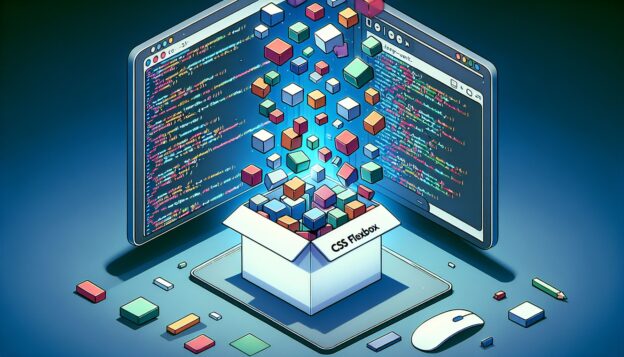
CSS Flexbox has emerged as a powerful tool in the arsenal of web developers, enabling them to create complex designs with relative ease. This revolutionary layout model offers an effective way to distribute and align items in a container, even when the container’s size is unknown or dynamic.

Understanding CSS Flexbox

The CSS Flexbox Layout (Flexible Box) module was introduced to provide a more efficient approach to design, align, order, and distribute space between items in a container. Working in either row or column layout, Flexbox provides all the capabilities necessary to create a variety of exquisite designs.

In essence, Flexbox aims to become a more efficient tool by focusing on the content itself rather than the layout. Its flexibility allows the container’s remaining free space or even its additional space to manipulate the layout.

Benefits of Using CSS Flexbox

Effortless Alignment

One of the most significant features of CSS Flexbox is changing the alignment of items, vertically or horizontally, in a container without needing to alter the HTML structure. It also deals with unequal heights of columns elegantly, which was quite challenging with the traditional CSS approach.

Easy Reordering

Through the “order” property, web developers can conveniently rearrange the order of HTML elements visually, without changing the actual HTML document. This becomes extremely helpful when designing responsive websites tailored to different device layouts.

Flexible Sizes

Flexbox’s ability to create flexible layouts is its most influential feature. Developers can specify the Flex Grow and Flex Shrink properties to determine how items grow and shrink relative to the rest of the items in the container. Flex Basis then specifies the ideal size of these items.

Conclusion: Embrace the Flexibility

Undoubtedly, CSS Flexbox is a game-changer when it comes to web development. By helping developers create attractive designs, maintain alignment, resize boxes, and even change the order of elements with ease, it indeed lives up to its reputation of being ‘flexible.’

The key to harnessing the full potential of this powerful tool lies in understanding how each property works together to build intricate designs. So, if your work involves any form of web development, now is the ideal time to embrace the power and flexibility of the CSS Flexbox.

Simplifying Dynamic User Interfaces with React Hooks

Web development continues to evolve at a rapid pace with JavaScript libraries such as React leading the way by providing developers with cutting-edge tools. One such tool that has gained popularity is React Hooks – a revolutionary feature that simplifies your code and makes dynamic user interfaces a walk in the park. Let’s delve deep into the world of React Hooks and understand how you can effortlessly leverage them for your web development needs.

Understanding React Hooks

React Hooks has been a game changer since its introduction in React 16.8. Unlike Class components, which can be a bit complicated and difficult to test, Hooks allows you to build your entire application using only function components. This not only simplifies your codebase but also improves its readability and maintainability.

Often, when using Class components, we lose control over the state and its behavior because of the ‘this’ keyword. On the contrary, React Hooks syntax is much clean, neat, and manageable. It allows you to ‘hook into’ React’s features, such as state and lifecycle methods, right from a functional component.

Utilizing Commonly Used Hooks

Following are some of the commonly used Hooks that you can use to supercharge your web applications:

  1. useState: This Hook lets you add state to your functional components in React. The state here doesn’t get wiped out when the function exits, and you can use it as a persistent object across the various re-renders of your component.

  2. useEffect: By using this Hook, you can perform side-effects in your function components. An example of this would be data fetching, where you’d want to perform the operation after the render has been committed to the screen.

  3. useContext: Using this Hook, you can avoid passing props down into components, thereby making the code cleaner and more maintainable. It allows you to share values that are considered global for a tree of React components.

Conclusion: Embracing Hooks for Seamless Development

React Hooks mark a significant leap in the world of frontend development. They reduce the complexity of your code, make it easier to test, and offer an intuitive API for state and side-effects. If you haven’t experimented with Hooks yet, it’s never too late to start. You are bound to realize how much easier and cleaner your codebase can be with Hooks. Thus, embrace the power of Hooks and take your React applications to a whole new level!

Unraveling the Potentials of Progressive Web Apps

In the ever-evolving landscape of web development, one particular technology that has been gaining considerable traction is Progressive Web Apps (PWAs). They are a hybrid between traditional websites and mobile applications offering the best of both worlds — broader user experience and increased user engagement.

Understanding the Concept of PWAs

Progressive Web Apps, often abbreviated as PWAs, are web applications that use modern web capabilities to offer users a similar experience to native applications. With PWAs, you get to harness the full potential of the latest web features, such as offline functionality and push notifications, to create a seamless, app-like experience on the web.

The concept of PWAs was first introduced by Google back in 2015. Since then, it has gone through numerous enhancements and has been adopted by big names in the industry, such as Twitter, Uber, and Starbucks, to name a few.

The Benefits of Using PWAs

PWAs come with a plethora of benefits for both users and developers. First, PWAs are fast. They load almost instantaneously and offer smooth scrolling and navigation. In other words, users get near-instant responsiveness.

Secondly, PWAs are reliable. They provide an offline mode which means that even when the internet connection is slow or completely down, users can still access and use the app.

Finally, PWAs are engaging. They can be installed directly on your device’s home screen, and thanks to push notifications, users can always stay up-to-date with fresh content.

The Impact of PWAs on Web Development

The advent of PWAs has significantly transformed the web development landscape. With these applications, developers can create more robust, responsive, and reliable web applications that provide a superior user experience compared to traditional web applications.

Moreover, PWAs can be built using existing web technologies making them less resource-intensive and more cost-effective compared to native apps.

Summary

To sum up, Progressive Web Apps (PWAs) combine the best of websites and mobile applications, offering an enhanced user experience and increased user engagement. They are fast, reliable, and engaging and are redefining the norms of web development. As more and more businesses are realizing the advantages of PWAs, their popularity is set to keep on growing in the coming years, making them an essential tool in the web developer’s toolkit.

Smooth Sailing with Sass: Mastering Advanced CSS with Sass

The introduction of CSS revolutionized web design, making it easier and simpler to create eye-catching websites. Your journey to becoming a proficient and efficient web developer is incomplete without getting a grip on CSS and its superpowers. Today, we will delve into Sass, a powerful CSS preprocessor that offers a robust structure into the world of CSS.

What is Sass?

Sass, short for “Syntactically Awesome Style Sheets”, is a CSS preprocessor scripting language that lets you use variables, conditional rules, inline imports and other exceptional features. It makes CSS fun, maintainable, and as the name suggests, downright awesome.

Getting Started with Sass

To get started with Sass, you’ll need to have Ruby installed on your machine as Sass is written in Ruby. Once you’ve got Ruby up and running, you can install Sass by simply running the command gem install sass in your terminal. After installing it, you can run sass --watch input.scss output.css to tell Sass to watch your .scss or .sass file for changes and compile it to an output .css file whenever a change is detected.

Why You Should Use Sass

Where Sass really shines is in its features. Let’s take a look at a few of them:

Variables

Sass allows you to define variables. Variables let you store values that you want to reuse throughout your stylesheet.

Mixins

Mixins are a way to define styles that can be reused throughout the stylesheet without needing to resort to non-semantic classes like .float-left.

Nested Rules

Sass will let you nest your CSS selectors in a way that follows the same visual hierarchy of your HTML.

Operator

CSS has no logic built into it. That’s where Sass comes in handy. Sass provides mathematical operators, such as +, -, *, and /, to use in your properties.

Summing Up

Sass is a style sheet language that brings a lot to the table for developers who need to manage larger style sheets and who want to streamline their development workflow. If you’ve been using plain CSS or even a different preprocessor, give Sass a try. You might be surprised at how much time and effort it can save you.

Mastering Sass could just be the right step forward to improve your skills as a modern web developer and make your style sheets more maintainable, organized and reusable. However, always remember, tools are only as good as the person using them. Happy coding!

Unlocking the Power of Progressive Web Apps

Progressive Web Applications (PWA) have seemingly taken the digital world by storm, solidifying their space in the present and future of web development. Offering the best of both worlds—combining the capabilities of modern browsers with the benefits of mobile experience—PWAs are a win for users and developers alike.

What is a Progressive Web App?

Simply put, PWAs are a type of application software delivered through the web. Built using common web technologies including HTML, CSS, and JavaScript, PWAs are intended to work on any platform with a compatible web browser.
Because of their adaptability and ability to work even on low-quality networks or offline, PWAs offer a more user-friendly, seamless experience.

The Power of PWAs

Boasting several attractive features, PWAs indeed offer rewarding benefits.

1. Offline Functionality

PWAs store your website’s files in a cache for offline use with service workers, a script that your browser runs in the background. This enables PWAs to function even when the user does not have an internet connection, offering a smoother, uninterrupted user experience.

2. Push Notifications

One of the most attractive features of PWAs is their ability to engage users with push notifications. This feature keeps your users connected and increases engagement rates.

3. Faster Load Times

Through cached components, PWAs offer faster load times than traditional web applications. This means users can access information quickly, leading to increased user satisfaction.

4. Less Storage Space

Without the need for users to download them from app stores, PWAs consume less storage space but still provide the same functionality as native apps.

Building a Progressive Web App

When building a PWA, you need to ensure that it meets certain criteria, such as being served over HTTPS, includes a web app manifest, implements a service worker, and more. The meticulous planning and development that goes into building a PWA results in a high-functioning, user-friendly application that can greatly improve the user experience.

Concluding Thoughts

In the rapidly changing field of web development, staying up-to-date with the latest trends and technologies is crucial. Progressive Web Apps are a major step in this direction, offering the connectivity of a traditional web application with the adaptability and user-friendliness of mobile applications. By considering the development of a PWA, developers and businesses alike can improve the overall user experience, increase user engagement, and ultimately drive business success.

The Magic of React: Relating Components and Props in Web Development

Are you looking for a way to create faster, smoother Web applications that offer top-notch user experiences? Your search might have just met its end! Welcome to the world of React – and today, we’ll be diving into the core concept of components and props.

React – An Introduction

React is a JavaScript library used for building user interfaces. Powered by Facebook and a community of individual developers, React has opened new possibilities in the world of web development. The crucial aspect that sets React apart from other JS frameworks is its component-based architecture. This structure makes developing complex web applications a lot easier and more manageable.

Quenching our Curiosity: What are Components?

Components are the building blocks of any React application, similar to JavaScript functions. They take in inputs “props” and return React elements describing what should appear on the screen. Components make it possible to split the UI into independent, reusable pieces that can be processed separately.

So, What are Props?

Props, short for properties, are a way of passing data from parents to children. In a more technical sense, they’re read-only components. The parent component can pass on properties to its children. However, the child components are not allowed to modify the props they receive.

How do Components and Props Relate?

Components and props work together to create interactive UIs in React. Here’s a simplified explanation: When defining a component, we can choose to include props as parameters. This inclusion allows us to customize the component, use it over and over again, but with a different output each time.

A simple analogy would be a Button component. The parent component could use the Button several times, customizing it each time with different props. It could pass a different color as a prop for each button, thus reusing the code but achieving different results.

Summing Up

React is a powerful tool in the world of web development, making the development of complex applications manageable. Its core concepts, like components and props, bring modularity, reusability, and simplicity to the coding process. By fully understanding these principles, you can leverage the full potential of React and elevate your web development journey. So, embrace the art of React, and let it create an enchanting user interface for your web application.